Continuum 93 - an emulator that exists before its hardware

Hi again!

Pretty happy to share this with you. Last year I started writing this emulator that doesn’t emulate anything you might be familiar with, rather impersonates a fictional retro-hardware with its own assembly architecture, registers, interrupts and video layers. It is aimed at allowing people to write retro-like games on a platform meant for specifically for that, with the limitations and particularities of such a “new” old machine. It is built out of nostalgia while trying to connect the old with some modern advantages such as (eventually) wrappers allowing you to develop and publish games.

It is a project in progress that will probably take over a year to mature nicely, so I am open to any critique you may have. I did took a look at the introductions page and noticed quite a few of you have an impressive experience with assembly for several hardware frameworks.
But I also hope you will like it at least in part. It will get better.

Right now it’s published on itch (just take the slider down and you can download it for free!). Also you’ll find there a presentation video and if you’re curious, take a look at the manuals provided in the download.

4 Likes

I have toyed with similar ideas from time to time, but I had a hard time coming up with limitations to torment myself with. :slight_smile:

(As the fun is often about working with and around the limitations and not so much about what a vintage platform can gloriously do, to me, a fantasy platform should be not so much about wishful thinking, but about actually fearful thinking. Which is, admittedly, quite an odd place to begin with.)

1 Like

It reminds me of the Pico-8 system…

And there is (still) the good old Red Code / Core Wars

-Gordon

1 Like

Ah, yes! The PICO-8! I didn’t knew about it until I showed part of my work to a colleague who pointed to it last year. I like that one, though it’s not exactly my flavor. I think it uses some form of high-level programming language directly, but I haven’t kept track recently. I like it’s a pretty well matured project.

But this code war game looks quite intriguing. I’ll definitely look it up. Thanks for this!

1 Like

Yeah, I know what you mean. Limitations kind-of lead you nicely in a specific direction while making you also feel clever. Modern systems basically place you in the middle of a desert with a replicator in hand. You can do absolutely anything, and that’s sometimes overwhelming.

In a contrasted exageration, some retro systems are like you’re thrown in the depths of a cave filled with water that floats inexplicably and you are holding a knife. Even by itself it’s a great adventure. :slight_smile:

1 Like

There’s actually quite a number of fantasy consoles and computers, compare this curated list:

(It may be worth contacting the author, @EnthusiastGuy, in order to get Continuum 93 included.)

2 Likes

Hm. Looking at that list, and CHIP-8 is there - something I sort of look at, think I’ll write an emulator for it, then quietly forget it… for a while.

But it also strikes me about what others might be out there?

2 systems I do know of, because I’ve written emulators for them (in BASIC) are CESIL and LMC. They’re not quite aimed at games, graphics, etc. mechanics though…

These might fall into the esoteric programming language category though and before we know it, we’ll end up in a BF hole …

-Gordon

1 Like

And, certainly, there’s a BF console on the list… :slight_smile:

1 Like

That is quite a list! Thanks for this. I created my PR for the author to review at any time.
I never really thought of Continuum as a fantasy console, but you’re right. That’s the best term for it. :smiley:

1 Like

Mind that the list is for fantasy consoles/computers – you’re spot on, anyway… :slight_smile:

2 Likes

Interesting list. I don’t see the BytePusher there, which is a fantasy console with a OISC (one instruction set computer) processor. It is an example of how simple things can be instead of something that is actually nice to program in.

I have my own design that I haven’t yet published, 1pvm (one page virtual machine), where the goal is to fit the complete description in at most 66 lines of 80 columns each. That leads to a different set of tradeoffs.

1 Like

Simple also means you don’t have to fight verbose hardware and software.

Hello all!

Here’s me with another major update on the Continuum 93 emulator I’m working on.
The main points of interest of this update are:

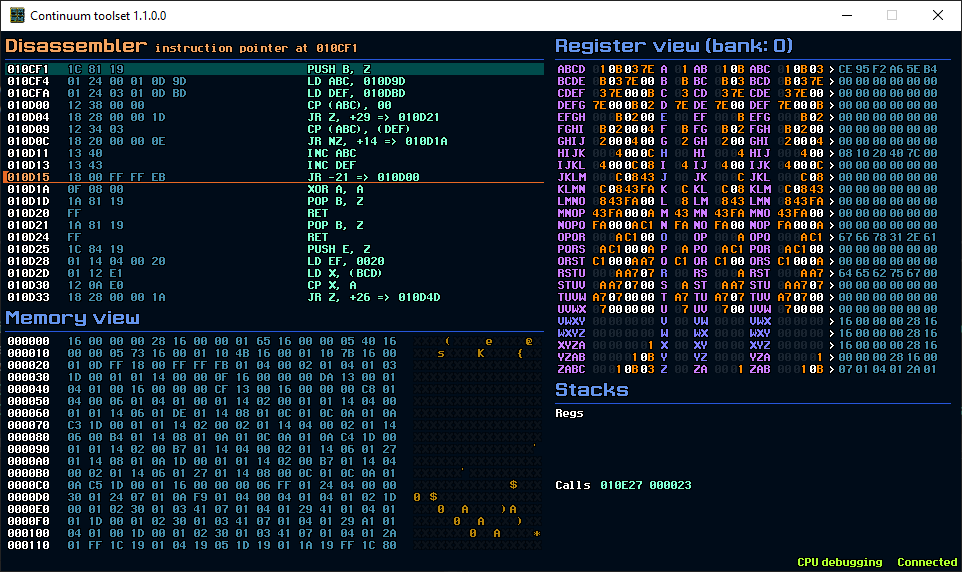
  • the highly improved debugger/disassembler/memory viewer separate applications used to debug Continuum programs through the TCP/IP connection by connecting to the actual emulator;

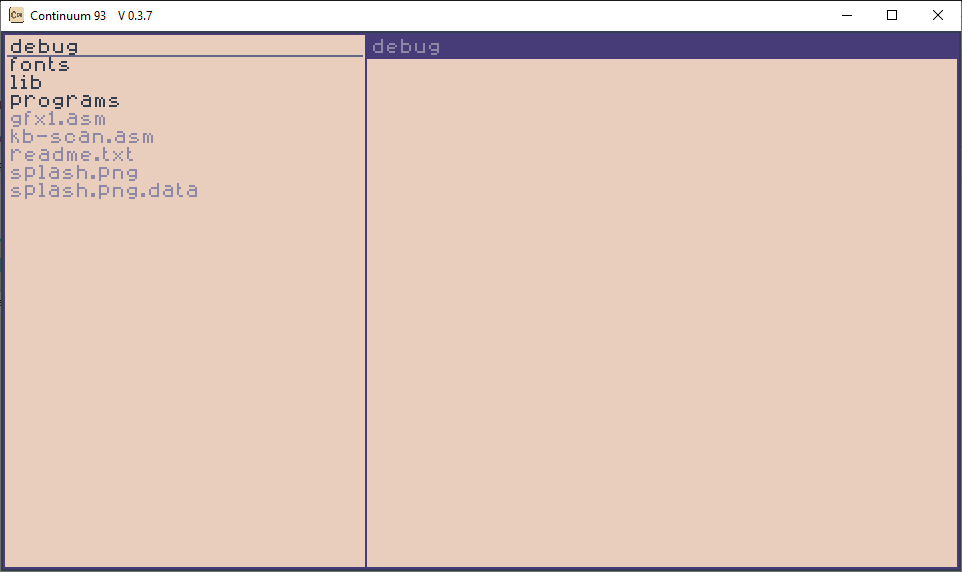
  • a new simple operating system for Continuum, called Q.

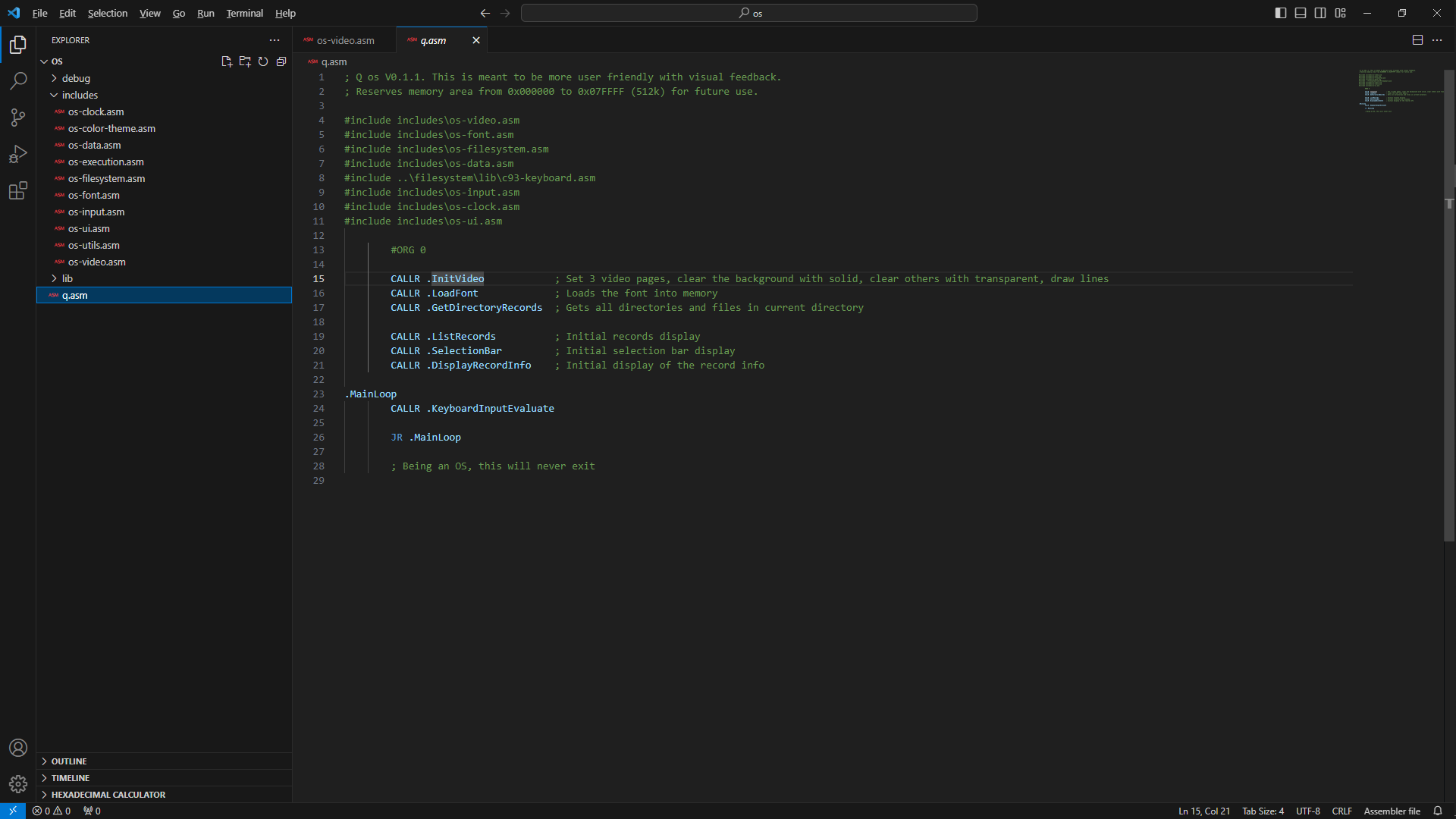
  • ability to spread the code over multiple files (for better project management), working with Visual Studio Code to program in Continuum Assembly;

  • lots of other small updates/fixes on the CPU architecture.

Here’s also the presentation video I just finished editing.

Cheers to you!

1 Like

Hey guys!

Last night I wrapped up and released version 0.6.8 of Continuum. I also published an updated development log there but in general lines this update is about:

Emulator

  • Video card improvements;
  • Multi-platform (right now, aside from Windows this can be brought to Raspberry Pi 3, 4, 5, 400 and Zero 2W) and Steam Deck;
  • Signed values support for regular registers + new instructions in that sense;
  • Floating point registers and a lot of instructions that make use of them;
  • Improved and added interrupts;
  • Added more instructions for logic, flags, trigonometry, general math;
  • Gamepad support (though a bit shady on Linux);
  • Accelerator interrupts to load png tilemaps to memory and draw from them;

Debugger

  • A 3D visualization of the video memory that also looks cool;

  • Showing flags, history;

  • … and a lot of fixes, small improvements etc…

I also wanted to present this differently, so for the first time I made an actual trailer for it. Here it is:

1 Like

Quick important update. Continuum is now in a rather mature stage and the vision for it is to represent the base for an entire ecosystem meant for retro gaming AND game development, not only in assembly but also some higher level language I am currently designing.

However, maybe the more interesting news is that I decided to make it open source. :slight_smile:

You can find the latest binaries/documentation and the link to the repo (which is a bit ahead of the binaries) here: Continuum 93 by Enthusiast Guy

2 Likes

An excellent turn of events - thanks for that!

1 Like

Do you have any more to say about the higher level language yet?

Yeah, I was rather intentionally cryptic about that since I have a very-very drafty document on this I started the work on the compiler. Still on a bit of back-and-forth on this, but I can show you what is the current draft.

The main TLDR idea is:

A sort of BASIC that is able to support curly bracket contexts, mainly to define functions or loops (for/while) or even native assembly.
Global variables only (at least for now), arrays of some basic types
basic types: int, float, string, color, sprite, audio.

I think I might also consider first implementing a more simple actual BASIC language.
It will still be a powerful gain since there will be a compiler, not an interpreter, so the code will end-up as native assembly, so very fast.

Here’s the very drafty thing:

MOSAIC Language Overview

A concise reference to MOSAIC’s core features, data types, memory layout, control flow constructs, system functions, and sample code.

MOSAIC stands for Medium Omni-language Symbolic Advanced Instruction Code. While the acronym is a creative backronym, the real purpose of MOSAIC is to serve as a simple, fast, game-oriented high-level language targeting the fantasy retro computer emulator Continuum 93.

Continuum 93 is a custom fantasy computer built for retro game development, with a custom CPU and assembly language loosely inspired by the Z80, but modernized. It was developed in C# using MonoGame, and features an assembly instruction set tailored for performance and game logic.

MOSAIC began as a project to create a BASIC-like compiler for this architecture but evolved into a more structured, C#-inspired language designed to simplify game development on the platform. It supports special game-related data types like sprite, and in the future may support DOS-like filesystem commands and inline assembly blocks (asm { … }).


1. Data Types & Declarations

Color Palettes

Each of Continuum’s 8 video layers has its own palette, defined as an array of 256 color values. These palettes are directly accessible and modifiable in user code:

color layer0Palette

layer0Palette[0] = color(255, 0, 0) // Set first color to red

Primitive Types (static)

bool flag // 1 bit true/false

int score // 32‑bit signed integer

float speed // 32‑bit IEEE‑754 float

byte raw // 8-bit unsigned integer

color tint // 24-bit color (8-bit red, green, blue)

Reference Types (heap‑allocated handles, 4 bytes each)

string name // heap object (length & buffer)

sprite spriteObj // heap object + VRAM pixel data

Composite Types

Arrays: dynamic, growable buffers of any element type

int numbers

string names

sprite frames

color palette


2. Memory Organization

  1. Data Segment (static)
  • All primitive variables and arrays (initial header + fixed buffer) are allocated at compile time with labels.

  • Primitive arrays (int, float): the buffer stores inline values (4 bytes each) contiguously.

  • Boolean arrays (bool): use bit‑packed storage (1 bit per element) with direct hardware support via GETBIT(addr) addressing, where addr = byteIndex * 8 + bitIndex for O(1) access.

  • Reference arrays (string, sprite, or any handle type): the buffer stores 4‑byte handles (pointers) contiguously; each handle refers to a heap object.

Example:

.var_score: .word 0 ; int score

.numbers_len: .word 0 ; array length

.numbers_cap: .word 4 ; array capacity

.numbers_data: .skip 4 * 4 ; 4 ints inline

.names_len: .word 0 ; array length

.names_cap: .word 2 ; initial capacity

.names_data: .word 0, 0 ; 2 handles to string objects

  1. Heap (dynamic)
  • string objects: header (length, capacity) + UTF‑8 buffer

  • sprite objects: metadata struct in RAM + pixel bitmaps in VRAM

  • Array growth: if an array’s length exceeds its static capacity, a dynamic buffer is allocated or resized on the heap (header & data), preserving existing slots.

  1. VRAM Region
  • Pixel bitmaps for sprite, managed separately via LoadSprite and FreeSprite

3. Operators & Expressions

MOSAIC supports typical arithmetic and logical operators used in expressions and control structures. Expressions follow C-style operator precedence.

Arithmetic Operators:

    • Addition
    • Subtraction
    • Multiplication
  • / Division (integer or float depending on operands)

  • % Modulo (useful for wrap-around logic)

Unary Operators:

  • -x Negation

  • +x Unary plus (no-op)

Comparison Operators:

  • == Equal to

  • != Not equal to

  • Greater than

  • = Greater than or equal to

  • < Less than

  • <= Less than or equal to

Logical Operators:

  • && Logical AND

  • || Logical OR

  • ! Logical NOT

Bitwise Operators:

  • & Bitwise AND

  • | Bitwise OR

  • ^ Bitwise XOR

  • ~ Bitwise NOT

  • << Shift left

  • Shift right

Assignment Operators:

  • = Assignment

  • +=, -=, *=, /=, %= — Compound arithmetic assignments

  • &=, |=, ^=, <<=, >>= — Compound bitwise assignments

Expression Notes:

  • Mixed int and float operations are allowed; results follow the wider type (e.g., int + float → float).

  • Parentheses () can be used to control evaluation order, e.g., (a + b) * c

  • The ^ symbol is for bitwise XOR — use sqr(x) for power or root calculations via system functions.


3. Control Flow

If / Else

if (hp <= 0) {

print(“Game Over”, 0, 0)

} else {

print(“HP:”, hp, 0, 0)

}

While Loop

while (running) {

update()

render()

}

For Loop

for (int i = 0; i < 10; i += 1) {

print(i, i*8, 0)

}

Switch / Case

select (level) {

case (0) print(“Novice”, 0,0)

case (1) print(“Adept”, 0,0)

default print(“Master”, 0,0)

}

Break / Continue supported inside loops:

for (int i = 0; i < 100; i += 1) {

if (i == 50) break

if (i % 2 == 0) continue

print(i, 0, i*4)

}


4. Functions

User‑defined, non‑recursive, with static locals & parameters:

int Clamp(int v, int lo, int hi) {

if (v < lo) return lo

if (v > hi) return hi

return v

}

// Usage:

int x = Clamp(player.x, 0, screenWidth - 1)

  • Parameters & locals are statically allocated and overwritten on each call.

  • Return value passed in register.


5. Array Utilities

int ArrayCount(T arr) // current length

void ArrayResize(T arr, int n) // set length (grow/truncate)

void ArrayAdd(T arr, T v) // append v

void ArrayRemove(T arr, int i) // delete index i, shift left

// Example

int nums

print(ArrayCount(nums)) // 0

ArrayResize(nums, 5) // length=5

nums[4] = 42 // OK

ArrayAdd(nums, 7) // length=6, nums[5]=7

ArrayRemove(nums, 2) // remove slot 2


6. System Functions

These functions will be expanded as needed to support common game development tasks. Time and input handling, audio playback, and string manipulation are also planned.

Math Functions:

  • blendcolors(c1, c2, t) — linearly interpolates between two colors c1 and c2 using t (0.0 to 1.0)

  • darken(color, amount) — reduces brightness by amount (0–1)

  • lighten(color, amount) — increases brightness by amount (0–1)

  • rgb2hsl(r, g, b) — converts 0–255 RGB to HSL components

  • hsl2rgb(h, s, l) — converts HSL to 0–255 RGB

  • rgb2hsb(r, g, b) — converts RGB to HSB

  • hsb2rgb(h, s, b) — converts HSB to RGB

  • min(a, b), max(a, b)

  • round(x), floor(x), ceil(x)

  • random(min, max)

  • sqr(x) (square root), cbr(x) (cube root), isqr(x) (inverse square root)

  • sin(x), cos(x), tan(x)

  • abs(x)

  • sign(x) — returns -1, 0, or 1

  • mod(a, b) — modulo operation

  • lerp(a, b, t) — linear interpolation

  • atan2(y, x) — angle from coordinates

  • degToRad(x), radToDeg(x) — angle conversions

Bit Manipulation:

  • and(a, b), or(a, b), xor(a, b)

  • nand(a, b), nor(a, b), xnor(a, b)

  • not(x), set(val, bit), reset(val, bit), toggle(val, bit)

  • shiftLeft(val, n), shiftRight(val, n)

  • rollLeft(val, n), rollRight(val, n)

Input Handling:

Keyboard:

  • keyDown(key) — true while held

  • keyUp(key) — true when not held

  • keyPressed(key) — true only on initial press

  • keyReleased(key) — true only on release

  • keyPressedFor(key, ms) — true if held for specified milliseconds

  • getPressedKeys() — returns array of currently held keys (ASCII codes)

Mouse:

  • mouseX(), mouseY() — current mouse coordinates

  • mouseDeltaX(), mouseDeltaY() — movement since last frame

  • mouseButtonDown(button), mouseButtonPressed(button) — same semantics as keyboard

  • mouseWheelDelta() — scroll movement since last frame

Gamepad (1–4):

  • gamepadConnected(index) — check if connected

  • gamepadButtonDown(index, button) — held

  • gamepadButtonPressed(index, button) — just pressed

  • gamepadAxis(index, axis) — analog axis value (e.g., stick, trigger)

  • gamepadVibrate(index, intensity, durationMs) — trigger vibration

Time Functions:

  • getTimeMs() — returns milliseconds since system boot (32-bit)

  • getTimeTicks() — returns CPU ticks since boot (64-bit)

  • wait(ms) — delays execution for specified milliseconds (non-blocking if possible)

  • deltaTime() — returns ms between current and last frame (for smooth animations)

  • timeSince(timestamp) — calculates elapsed ms since a previous getTimeMs() value

Memory Functions:

  • getPointer(array) — returns the memory address of the first element of the array (e.g., for execution or binary manipulation)

  • peek(addr) — reads a byte at the given memory address

  • poke(addr, value) — writes a byte to the given memory address

  • copyMem(dest, src, size) — copies a block of memory (size in bytes) from src to dest

  • fillMem(addr, value, size) — fills a memory block starting at addr with value, for size bytes

  • compareMem(addr1, addr2, size) — compares memory regions, returns 0 if equal, or difference value

  • memSetZero(addr, size) — optimized zero-fill utility

Filesystem Functions:

  • fileExists(path) — returns true if a file exists

  • dirExists(path) — returns true if a directory exists

  • createFile(path) — creates an empty file (or truncates if exists)

  • createDir(path) — creates a new directory

  • deleteFile(path) — removes a file

  • deleteDir(path) — removes a directory

  • listDir(path) — returns array of filenames in directory

  • getFileSize(path) — returns size of file in bytes

  • readTextFile(path) — reads an entire file as string

  • writeTextFile(path, content) — writes full content to file

  • appendTextFile(path, content) — appends string to file

  • readBytes(path) — returns byte with file data

  • writeBytes(path, byte) — writes byte to file

  • openFile(path, mode) — opens a file handle in mode: “r”, “w”, “a”, “rb”, etc.

  • readLine(file) — reads next line from file

  • writeLine(file, text) — writes a line to file

  • readByte(file) / writeByte(file, b) — raw byte operations

  • readInt(file) / writeInt(file, i) — 32-bit int

  • readFloat(file) / writeFloat(file, f) — 32-bit float

  • seek(file, pos) — move file cursor to byte offset

  • tell(file) — get current byte offset

  • closeFile(file) — closes open file handle

Execution Functions:

  • exec(addr) — executes machine code starting at the given memory address. Used for running custom-loaded routines or assembly programs dynamically.

Sound Functions:

WAV Playback:

  • playSound(path) — plays a WAV file from filesystem

  • stopSound() — stops current sound playback

Synth SFX (SFXR-style):

  • playSfx(type) — plays a preset synthetic sound (e.g., “laser”, “pickup”, “jump”)

  • playSfxCustom(params) — plays a sound using a parameter structure or map

  • stopSfx() — halts any playing synthesized effect

  • setSfxVolume(level) — sets volume for synthesized output (0–100)

  • setSfxParam(name, value) — allows real-time tweaking of a single sound parameter (e.g., frequency, decay)

Graphics Primitives:**

  • drawLine(x1, y1, x2, y2) — alias for clarity

  • drawCircle(x, y, r) — shorthand for symmetric ellipse

  • drawText(text, x, y) — general-purpose text output

  • clear(color) — fills screen background

  • setPixel(x, y, color) — explicit pixel draw**

  • drawRect(x, y, w, h)

  • drawFilledRect(x, y, w, h)

  • drawEllipse(x, y, rx, ry)

  • plot(x, y)

  • line(x0, y0, x1, y1)

  • fill(x, y)


7. Sample Program

// Bouncy ball demo

sprite ball = LoadSprite(“ball.spr”)

int x = 100

int y = 100

int pathX

int pathY

// build path

ArrayAdd(pathX, 50)

ArrayAdd(pathY, 50)

ArrayAdd(pathX, 150)

ArrayAdd(pathY, 80)

while (true) {

clearScreen()

print(ball, x, y)

for (int i = 0; i < ArrayCount(pathX); i += 1) {

print(“.”, pathX[i], pathY[i])

}

}

2 Likes